 MagiaCap
Drop a video. Get smart captions. Done.

I built MagiaCap because I wanted one app that transcribes my videos in any language and gives me captions ready to drop straight into my editing timeline — no more switching between tools.
Randy · Developer, MagiaCap
Split that makes sense. Emoji that fits.
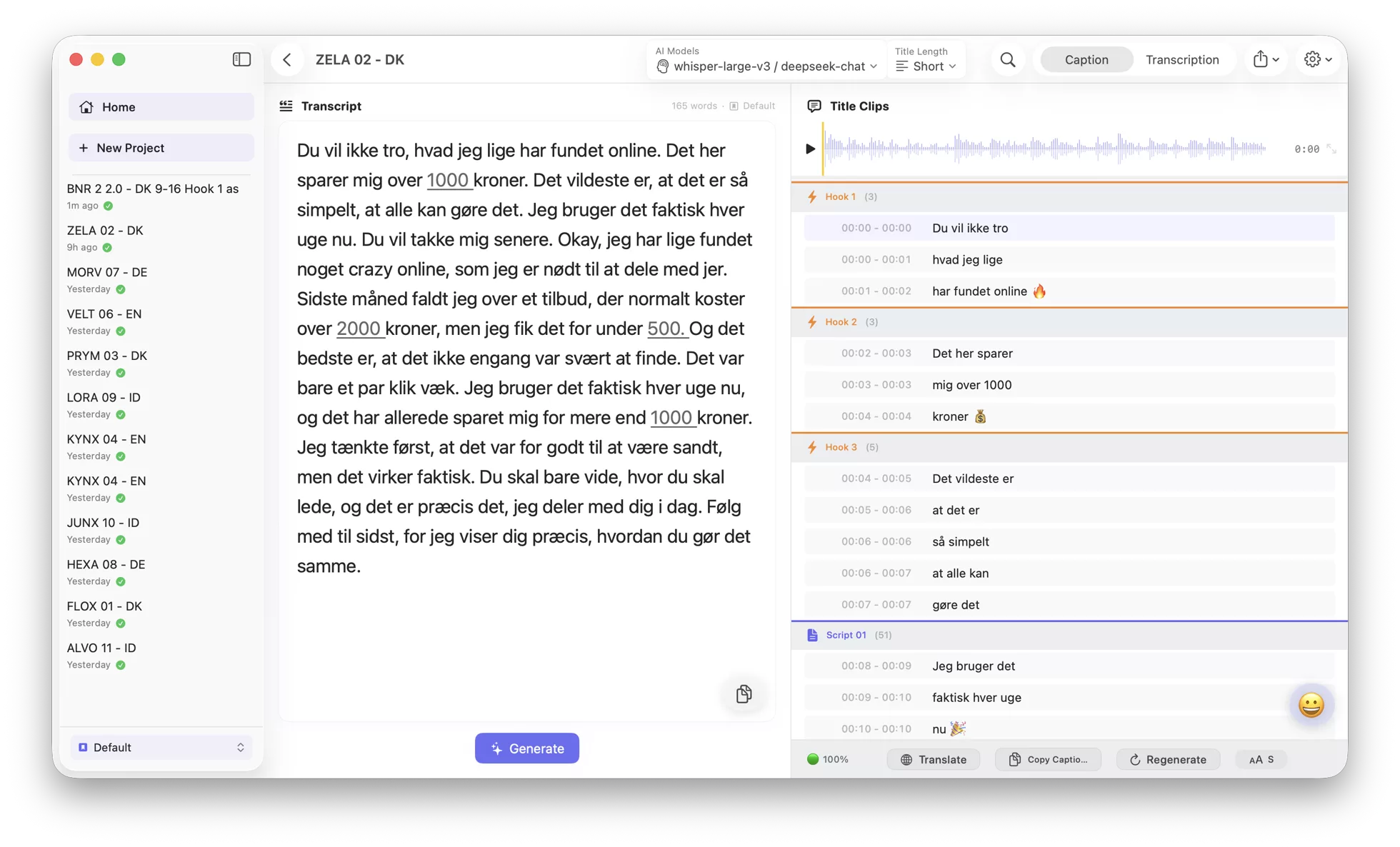
Most tools split captions at the wrong spot — words that should start the next line end up stuck at the end of the last one. MagiaCap uses LLM-powered segmentation so every break reads naturally, with emoji matched to your content.
86 languages with grammar-aware line breaking — English, Dansk, 日本語, العربية, and more.
Caption Editor
Edit captions like text, not keyframes.
Perfect timing out of the box — then fine-tune every line without ever touching a keyframe.
The caption highlight travels perfectly with the voice — every line lands exactly on the right frame.
- ✂️Split with Return — cut at the exact word boundary
- 🔗Merge two lines — join any captions back together
- 🥞Stack two lines — keep a top line and main captions together, timed perfectly.
- 😀Emoji on & off — toggle context emoji with one click
Script Diff
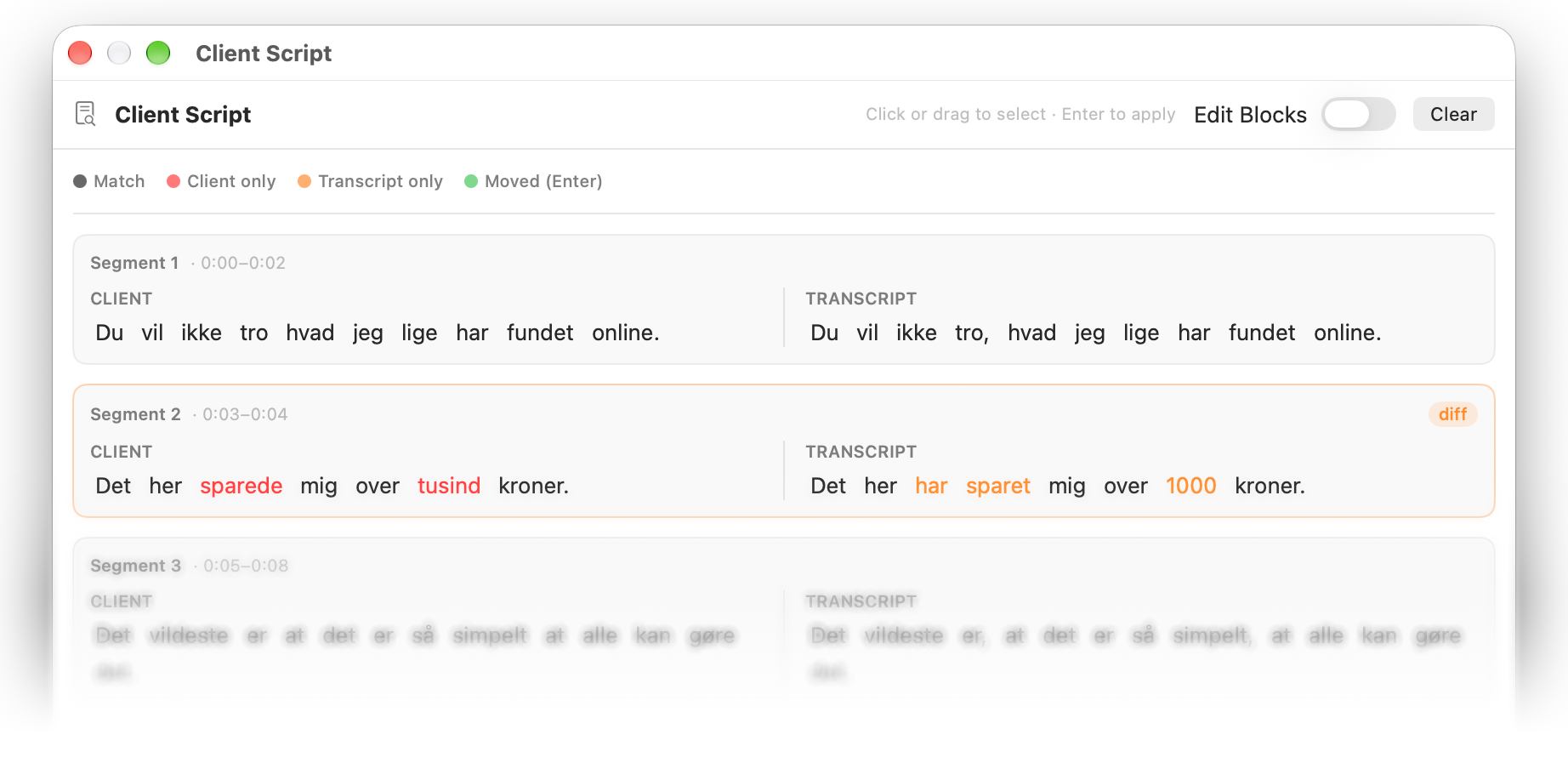
Match the script the client approved.
Creators go off-script. MagiaCap spots every drift and lets you lock captions back to the approved script in one pass, so you ship exactly what the client signed off on.
- 🎨Color-coded diff — see what changed from the approved script
- ⏎Fix in one click — keep the client's wording, keep the video's timing
Translation
Transcribe any language. Understand it in yours.
Get the source transcript, then a line-by-line translation right beside it — so you can follow a foreign-language video, understand what's said, and drop both subtitles straight into your timeline.
- 🌐Translate on demand — pick the language you need
- 📦Export both — original + translation, drop both subtitle files into your timeline
Danish on the left, English on the right — every line locked to the same moment.
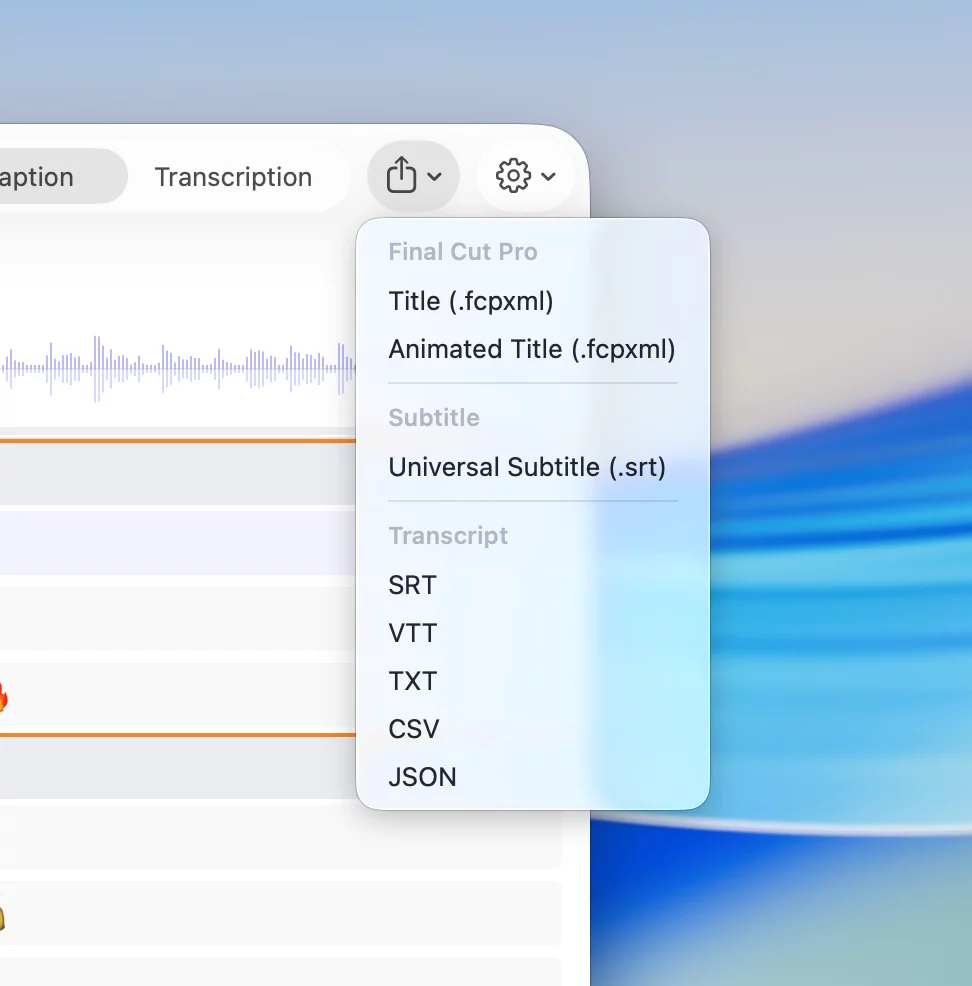
Export to any editor.
Captions land exactly where you work — no re-typing, no cleanup.
- SRTPremiere · Resolve · CapCut
- VTTYouTube · Web players
- TXT · CSV · JSONPlain-text export
FCPX Animated Titles
Any language. Word-by-word in FCPX.
FCPX's built-in transcription only speaks English — for now. MagiaCap transcribes your Danish (or any) video, then exports the captions as animated word-by-word titles straight into your Final Cut Pro timeline.
- 🎬Word-by-word animation— every word is its own timed title, running on FCPX's Subtitle template.
Word timing follows your transcript — nudge frames in FCPX if a beat's off.
What MagiaCap Users Say
Editing multi-language UGC used to be a headache. MagiaCap is fast and accurate, and it saves me hours of editing time on every project.
I work as a video editor for a Danish company and don't speak the language at all. MagiaCap made subtitling effortless — accurate transcription, and the built-in emoji always match the context. CapCut just isn't precise enough for Danish.
Honestly, MagiaCap has been a lifesaver for my editing workflow — especially for UGC videos. I used to spend so much time doing captions and transcripts manually, but this makes the whole thing way faster. The caption splitting is pretty damn clean too, so I barely have to fix anything after. If you're editing a lot of videos with subtitles, definitely give this a shot — it saves a ton of time. 🔥
Using it for days, and it's already saving me SO MUCH TIME — no more typing captions one by one in my editing app. As an editor for 11 years, this is the best and must-have app for my workflow. 🙌✨
Pricing
One license. Yours forever.
Not $29/month. $29 once for one Mac. Free updates for life.
14-day money-back guarantee — no questions asked
*Based on Groq Whisper Turbo + DeepSeek published pricing, July 2026.
7-day free trial. No credit card required. Full features, no limits.
Buying for multiple Macs? The 3-Mac ($69) and 6-Mac ($119) packs are cheaper per Mac. Or buy on the Mac App Store.